SubmitYour Video
Share your child's story.
Registration is completely free. Deadline: 7 Dec 2026.
Need a little inspiration? Explore ten story ideas and parent prompts (opens in a new tab).
About the storyteller
♥
Tell us a little about your young storyteller.
About the story
♥
Tell us what your story is about — and share the video.
Upload your video to Gan Jing World first, then paste the link below.
- Click this link to open Gan Jing World.
- Sign in or Sign Up with Google, Apple, or email.
- Click Join Now.
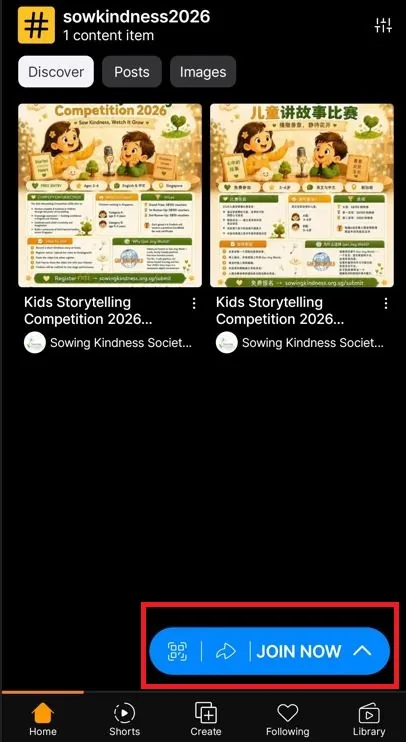 Step 3 · Join Now
- Click Upload Video.
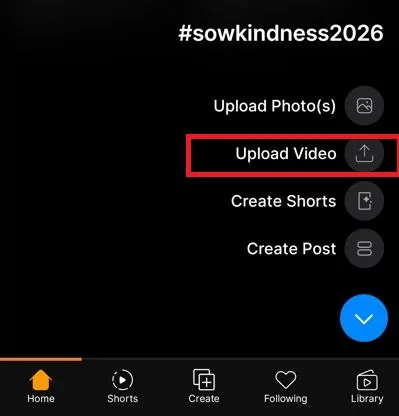 Step 4 · Upload Video
- Select your video file from your phone or computer folder.
- Enter the video details:
- Caption: your story title + #sowkindness2026
- Description: child's name and age. A summary of the story is recommended.
- Category: Education · Visibility: Public · Audience: Yes, it's created for kids
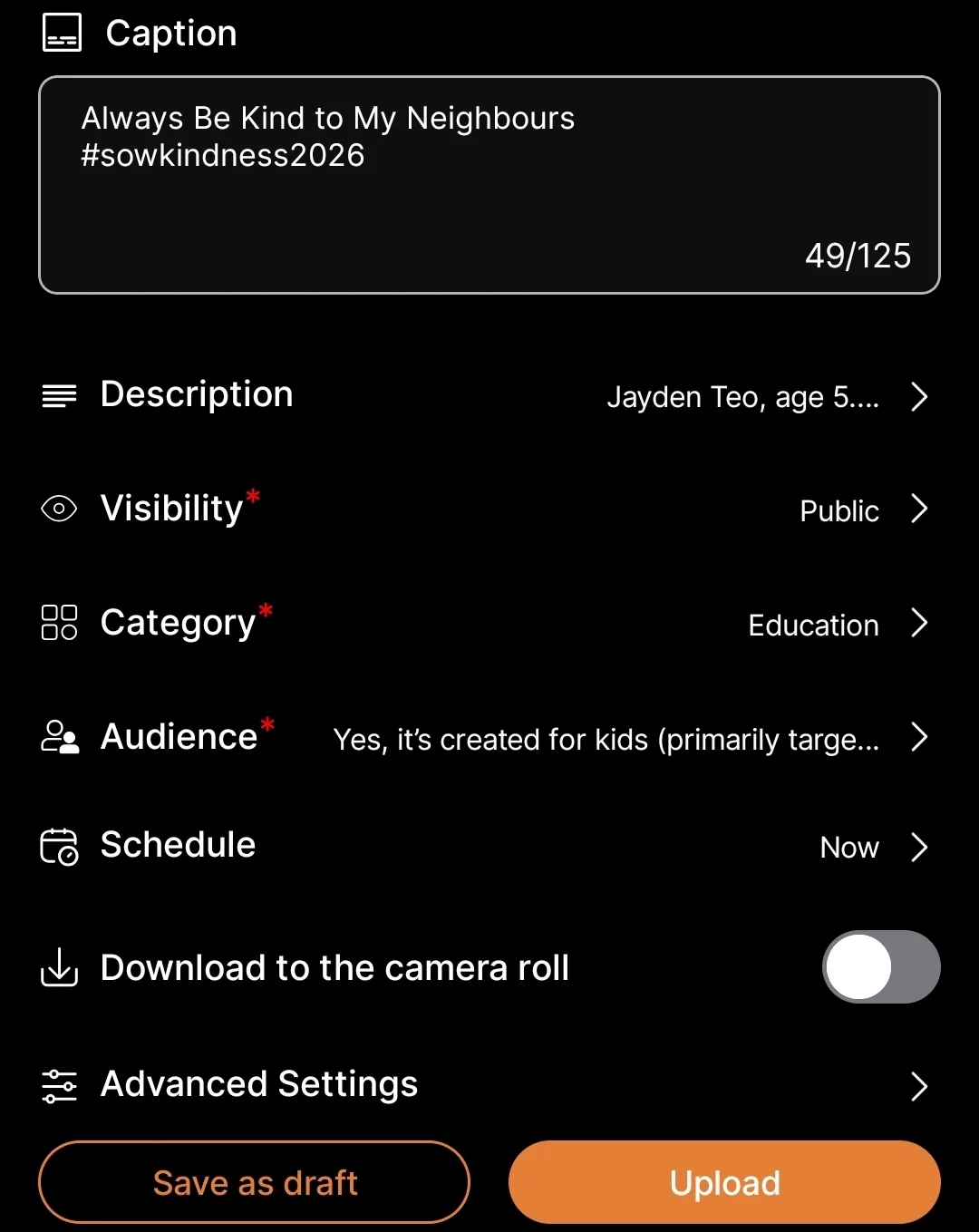 Step 6 · Fill details
- Click Upload.
- Go to Creator Studio and click + to confirm your upload succeeded.
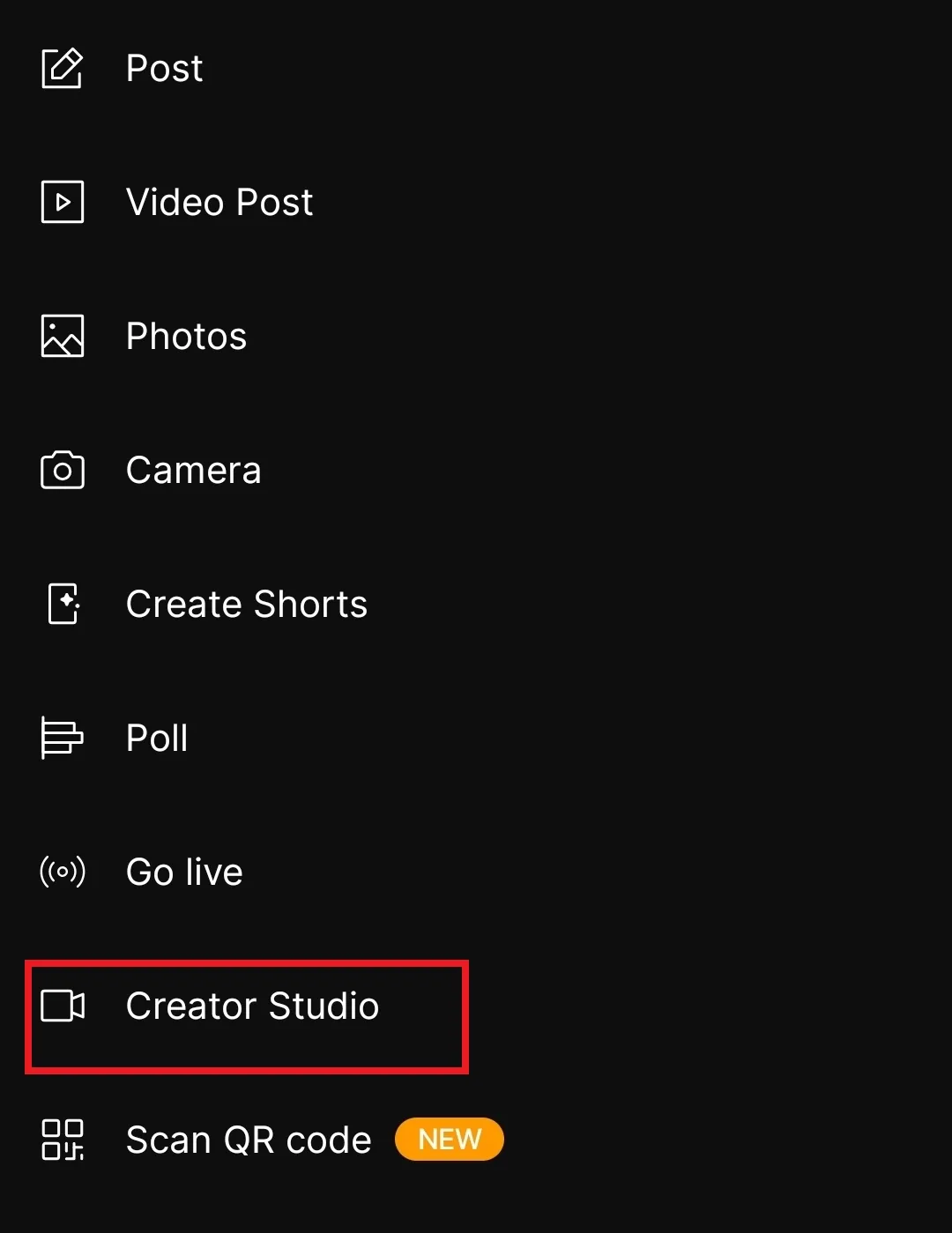 Step 8 · Creator Studio
- Check that your video posted successfully.
- Select your video, tap Share, and copy the link.
Uploaded the wrong file?
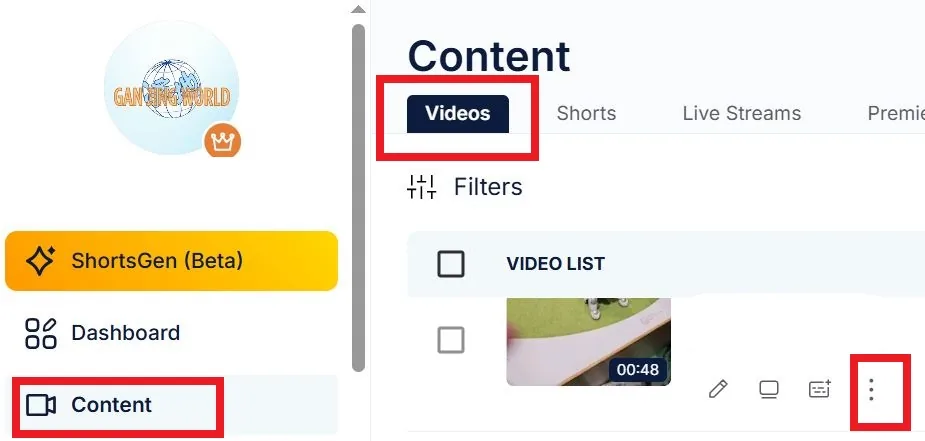
Go to Creator Studio → Content, tap the three dots next to your video, select Delete, then follow Step 5 to upload the correct file.
Parent or guardian
♥
We'll send all updates to you.
Registration received!
Thank you for entering. We'll send a confirmation to your email within 3 working days. We can't wait to hear your child's story! ♥
Back to Home ›